Binary Translator
Convert text to binary code and binary back to readable text, live as you type.
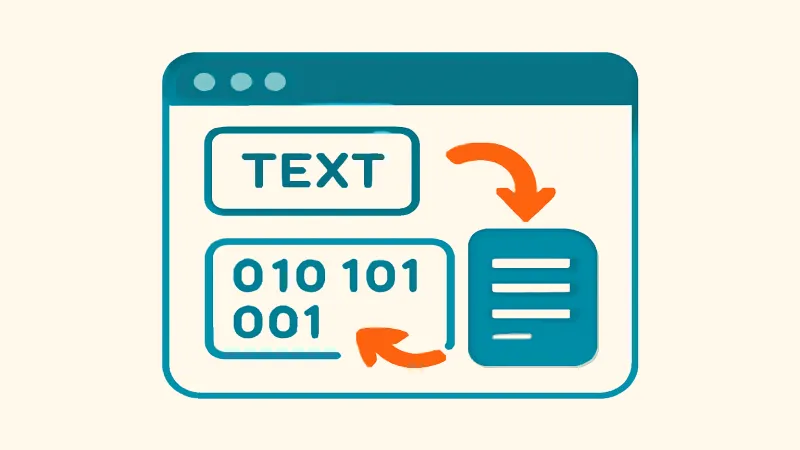
This binary translator converts ordinary text into binary code and decodes binary back into text, updating live as you type. Write 'hi' and watch it become 01101000 01101001; paste a wall of 0s and 1s from a puzzle or a T-shirt and see what it says.
Each character is represented by its code point, shown as 8-bit groups. For plain English letters that means standard ASCII: capital A is 01000001, lowercase a is 01100001. This is genuinely how computers store text, which makes the tool a nice hands-on way to teach or learn how character encoding works, and a staple for CS homework, escape-room clues and geocaching puzzles.
Everything runs in your browser with no server involved, so it is instant, private and works offline once the page is loaded.
How to translate binary
- Choose the direction: Text to Binary or Binary to Text.
- Type or paste into the input box.
- The translation appears instantly in the output box as you type.
- For binary input, keep the 0s and 1s in 8-bit groups; spaces between bytes are fine.
- Click Copy to grab the result.
How text becomes binary
Computers only store numbers, so every character is assigned one: in ASCII, A is 65, which in base 2 is 1000001, padded to the 8-bit byte 01000001. A string is just those bytes in sequence. Decoding reverses it: split the stream into groups of 8, convert each to a number, and look up the character.
Characters beyond basic ASCII, like é, emoji or Arabic script, are encoded as UTF-8, which uses two to four bytes per character. So one on-screen symbol can legitimately translate to several 8-bit groups; that is not an error.
What the binary translator does
The tool moves in two directions between human-readable text and its binary representation. Going one way, it takes each character of your text, looks up its numeric code point, and writes that number in base 2 as a group of bits. Going the other way, it reads groups of 0s and 1s, converts each back to a number, and turns those numbers into the characters they stand for.
It is important to see this as a conversion, not a cipher. Binary is simply another way of writing the same character codes your computer already uses; it hides nothing and protects nothing. That makes the translator a teaching and puzzle aid rather than a security tool, and it is exactly why the output is fully reversible by anyone.
How it runs in your browser
Every conversion happens in JavaScript on your own device, live as you type. There is no server call between your keystroke and the result, which is why the output updates instantly and why the page keeps working after your connection drops, provided it has already loaded.
Doing the work locally also means anything you paste, whether a homework string, a puzzle clue, or a private note, stays on your machine and is never uploaded or logged. For a learning tool that is mostly a convenience, but the same privacy-first design underpins every converter on the site.
ASCII, Unicode and UTF-8 in plain terms
ASCII is the original scheme that assigns the numbers 0 to 127 to English letters, digits, and common punctuation, each fitting comfortably in a single 8-bit byte. That is why plain English text produces one tidy 8-digit group per character, with a leading zero as padding: capital A is 01000001, lowercase a is 01100001, and a space is 00100000.
Unicode extends that idea to every writing system and to emoji, and UTF-8 is the way those larger code points are packed into bytes. UTF-8 uses one byte for ASCII characters and two, three, or four bytes for everything else. So an accented letter or an emoji legitimately turns into several 8-bit groups; the translator encodes and decodes those multi-byte sequences correctly.
Fun and practical uses
The translator shines in learning and play. It gives students a concrete, hands-on way to see how a character they type becomes the bits a computer actually stores, which makes an abstract topic click. It is also a staple for escape rooms, geocaching caches, capture-the-flag challenges, and the binary slogans printed on programmer T-shirts and mugs.
For developers it is a quick sanity check rather than a daily driver: decoding a short binary string to confirm a character code, or encoding a word to embed in a puzzle or test fixture. When you need to move real binary data around a system you would normally reach for hex or Base64, but for understanding what the bits mean, plain 0s and 1s are clearer.
Common mistakes when decoding binary
The number one cause of garbled output is a group that is not exactly eight digits. Because bytes are read in fixed blocks of eight, a single missing or extra bit shifts every following byte and turns the rest of the message into nonsense. Count the digits in each group, and remember that spaces between bytes are fine and often make the input easier to check.
The second is feeding in something that is not actually binary-encoded text: stray characters other than 0 and 1, or a dump of an arbitrary binary file that was never text to begin with. If your input contains letters or symbols, it is probably hex or Base64 in disguise, and decoding it as binary text will not produce anything readable.
Binary compared with hex and Base64
All three are just different ways of writing the same underlying bytes, trading readability for compactness. Binary shows every individual bit, one 0 or 1 per position, which is the clearest for teaching but the longest to write. Hexadecimal packs four bits into each symbol, so one byte is two hex digits, striking a balance developers use constantly. Base64 packs six bits per character, making it the most compact of the three for transporting data as text.
Knowing which you are looking at saves confusion. Long strings of only 0s and 1s are binary; short strings of 0-9 and a-f are hex; mixed letters, digits, + and / (often ending in =) are Base64. If your 'binary' contains anything but 0s and 1s, the site's Base64 tool or a hex view is what you actually want, and each of those runs client-side just like this translator.
Frequently asked questions
Is this binary translator free?
Yes, completely free with no limits or sign-up. Translate as much text or binary as you want.
Why is each letter 8 digits long?
Because computers group bits into 8-bit bytes, and one byte holds one ASCII character. The leading zeros are padding to make the full byte visible: A is 1000001 in pure binary, written as 01000001.
Why does my binary not decode to anything readable?
Check that every group has exactly 8 digits and contains only 0s and 1s. A missing digit shifts every following byte and turns the whole message into garbage. Also make sure the text really is binary-encoded text and not, say, a binary file dump.
Does it handle emoji and non-English characters?
Yes. They are encoded as UTF-8, so a single emoji becomes four bytes (32 digits). The translator decodes multi-byte sequences back correctly too.
Is binary the same as Base64 or hex?
No. They are different representations. Binary shows the raw bits; hex packs 4 bits per symbol; Base64 packs 6. If your 'binary' contains letters and symbols, you probably want our Base64 or hex tools instead.
Does it work on phones?
Yes, it works in any mobile browser. Typing long binary strings is fiddly on a touch keyboard, so pasting is your friend.